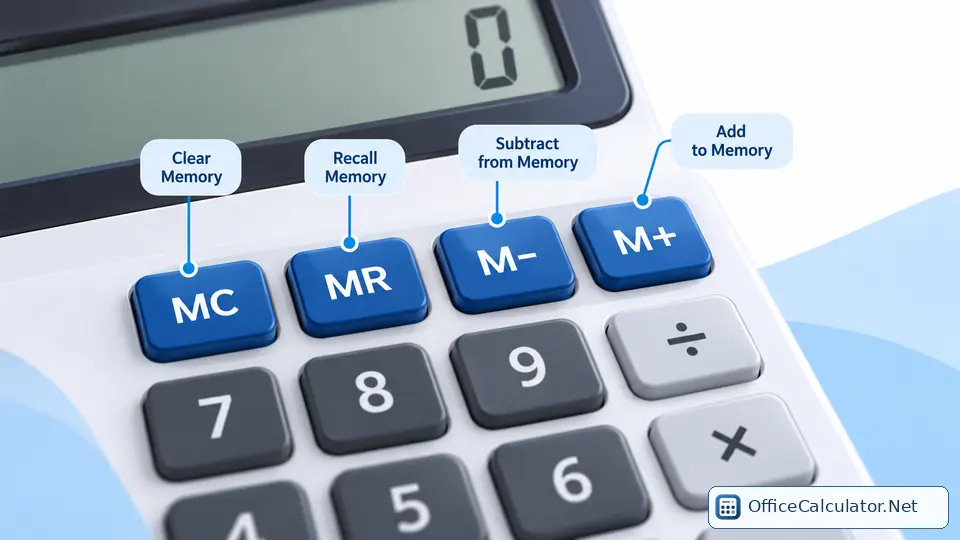
Experiment with memory recall and clear on the Standard Calculator with Memory.
What does MRC mean?
MRC combines two common memory functions: MR (Memory Recall) and MC (Memory Clear). It exists mainly to save keypad space on calculators that do not have separate MR and MC buttons.
How MRC usually works
On many desk and pocket calculators, pressing MRC once recalls the stored memory value. Pressing it again clears memory. Some models use a different sequence or timing, so MRC should be treated as a model-dependent combined key rather than one universal behavior.
MRC compared with MR and MC
| Key | Purpose |
|---|---|
| MR | Recall memory without intentionally clearing it |
| MC | Clear memory |
| MRC | Combined recall/clear function on some calculators |
OfficeCalculator.Net uses separate MR and MC buttons, so the action is explicit: MR recalls; MC clears.
Example: recall a stored total
If you have accumulated 85 in memory with M+, press MR (or the recall action of an MRC key) to bring 85 back to the display. You can then continue with a calculation such as 85 × 1.10.
Why MRC can be confusing
The label compresses two operations into one button. That is efficient on a physical keypad, but it means you should know whether a second press clears memory. When in doubt, test with a harmless value such as 7 before using the key in an important calculation.
Frequently asked questions
Does MRC delete memory immediately?
Not always. Many models recall first and clear on a subsequent press, but implementations vary.
What if my calculator has MR and MC instead of MRC?
Use MR to recall the stored value and MC to clear it. This separates the two actions.
Is MRC related to the normal C or AC key?
No. MRC works with the memory register, while C or AC clears the current calculation/display.
Can I use M+ with MRC?
Yes on calculators that provide both. M+ accumulates values in memory; MRC can then recall or clear that memory.
Open the matching OfficeCalculator.Net tool and test the examples with your own values.
Test the MRC behavior using the Standard Calculator with Memory.