Apply this guide to your own numbers using the Scientific Calculator Mode.
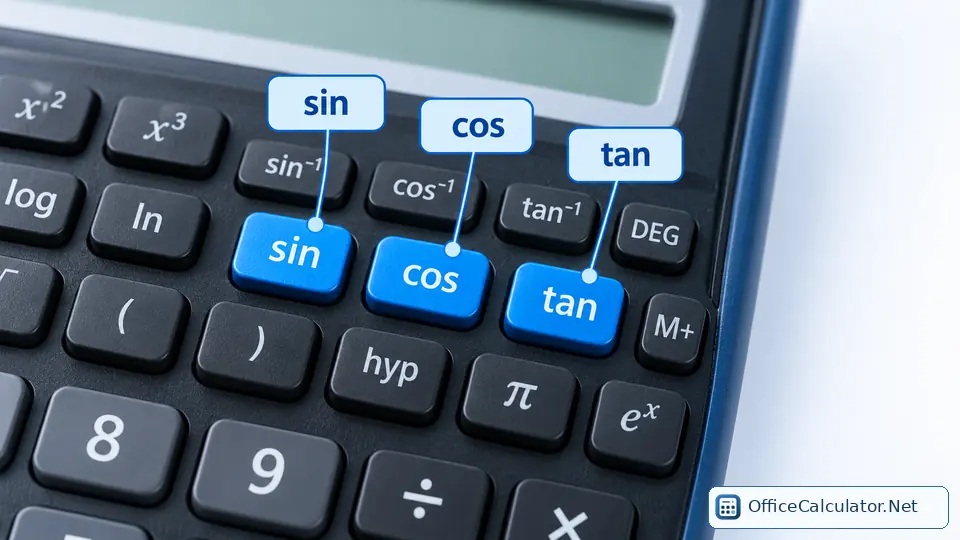
What do sin, cos and tan mean on a calculator?
| Key | Name | Right-triangle meaning | Example in DEG mode |
|---|---|---|---|
| sin | Sine | opposite ÷ hypotenuse | sin(30°) = 0.5 |
| cos | Cosine | adjacent ÷ hypotenuse | cos(60°) = 0.5 |
| tan | Tangent | opposite ÷ adjacent | tan(45°) = 1 |
| sin⁻¹ | Inverse sine / arcsine | angle whose sine is the input | sin⁻¹(0.5) = 30° |
| cos⁻¹ | Inverse cosine / arccosine | angle whose cosine is the input | cos⁻¹(0.5) = 60° |
| tan⁻¹ | Inverse tangent / arctangent | angle whose tangent is the input | tan⁻¹(1) = 45° |
The superscript −1 in sin⁻¹ does not mean 1/sin. It means the inverse function. Reciprocal functions are csc(x)=1/sin(x), sec(x)=1/cos(x) and cot(x)=1/tan(x). Some scientific calculators do not have separate csc, sec or cot keys, so you calculate them using reciprocals.
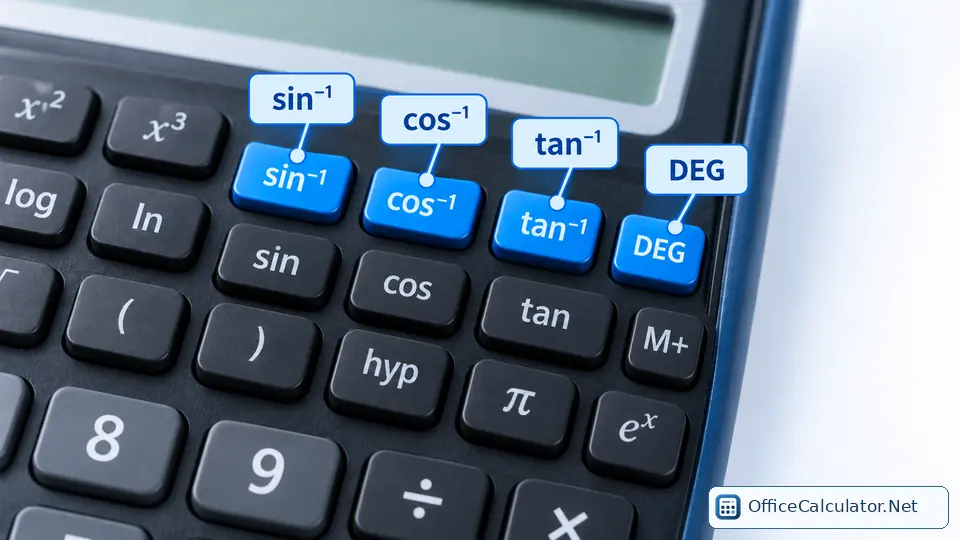
DEG vs RAD: why angle mode matters
In DEG mode, the number 30 is interpreted as 30 degrees. In RAD mode, the same number is interpreted as 30 radians. That is why sin(30) can produce a different answer even when you pressed the same key sequence.
On OfficeCalculator.Net, select Scientific and use the DEG/RAD control above the keypad. Physical models may use MODE, SETUP, DRG or an angle-unit menu.
Worked trigonometry examples
Find a side using sine
A right triangle has hypotenuse 10 and an angle of 35°. The opposite side is 10 × sin(35°). In DEG mode, sin(35°) ≈ 0.573576, so the side is about 5.736.
Find an angle using inverse tangent
If opposite = 8 and adjacent = 6, tan(θ)=8/6. Enter 8 ÷ 6, then tan⁻¹ (or SHIFT/2nd + tan on many physical calculators). In DEG mode, θ ≈ 53.13°.
Radians example
In RAD mode, sin(π/6) = 0.5. This is the same angle as 30°.
How to calculate sec, csc and cot without dedicated keys
- sec(x) = 1 / cos(x)
- csc(x) = 1 / sin(x)
- cot(x) = 1 / tan(x)
For example, csc(30°)=1/sin(30°)=1/0.5=2. Texas Instruments documents the same reciprocal method for scientific calculators that do not provide separate sec, csc and cot keys.
How students should practice trigonometry keys
- Check the angle unit before every set of exercises.
- Memorize benchmark results: sin(30°)=0.5, cos(60°)=0.5 and tan(45°)=1.
- Practice both directions: angle → ratio and ratio → angle.
- Use one right-triangle word problem so the key has a purpose.
- Repeat the same problem in radians to understand the unit difference.
Common trig-key errors
Typical errors are using radians when the problem gives degrees, confusing sin⁻¹ with 1/sin, forgetting to close parentheses on calculators that require them, and rounding too early. Keep several guard digits during intermediate steps and round only the final answer unless your course gives a different rule.
Official references
Texas Instruments’ scientific calculator guidebooks explain angle settings and trigonometric workflows, while Casio’s MODE documentation distinguishes Degree, Radian and Grad settings. For your exact calculator, follow its model-specific guidebook.
Frequently asked questions
What mode should my calculator be in for school trigonometry?
Use the angle unit stated by the problem. Many geometry problems use degrees, while calculus and higher mathematics often use radians.
Is sin⁻¹ the same as 1/sin?
No. sin⁻¹ usually means inverse sine or arcsine, which returns an angle. 1/sin(x) is cosecant.
Why does my calculator give a different sin answer than the textbook?
The most common cause is a DEG/RAD mismatch. Also check parentheses, the entered angle and rounding.
How do I calculate secant, cosecant and cotangent?
Use 1/cos(x), 1/sin(x) and 1/tan(x) if your calculator does not have dedicated keys.
Open the main calculator, choose Scientific, and try the examples with your own values.
Try the steps with your own inputs in the Scientific Calculator Mode.