Apply this guide to your own numbers using the Scientific Calculator Mode.
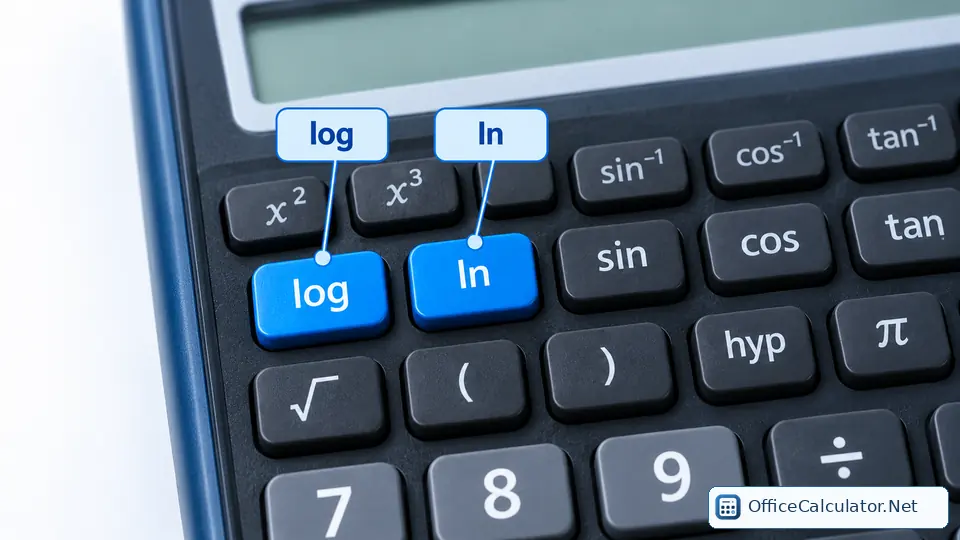
What do log, ln, EXP and exponent keys mean?
| Key sign | Meaning | Question it answers | Example |
|---|---|---|---|
| log | Common logarithm, base 10 | 10 to what power gives x? | log(1000)=3 |
| ln | Natural logarithm, base e | e to what power gives x? | ln(e)=1 |
| 10ˣ | Base-10 exponential / antilog | What is 10 raised to x? | 10³=1000 |
| eˣ | Natural exponential | What is e raised to x? | e¹≈2.71828 |
| xʸ / ^ | General power | What is x raised to y? | 6⁴=1296 |
| EXP / EE / ×10ˣ | Scientific-notation input | What coefficient ×10^n am I entering? | 6 EXP 4 = 60,000 |
EXP is not the same as the power key
This distinction matters enough to practice deliberately. Casio's support documentation gives the same kind of example: entering 6 followed by EXP and 4 represents 6 × 10⁴ = 60,000, while 6 raised to the fourth power is 6⁴ = 1296 and should use a power key such as xʸ or ^.
When should you use log versus ln?
Use log when the mathematics is written with base 10 or when a subject convention calls for common logarithms. Use ln when the base is e, which appears naturally in continuous growth and decay, calculus and many scientific models.
Example: common logarithm
log(100,000)=5 because 10⁵=100,000.
Example: natural logarithm
ln(e²)=2 because the logarithm asks for the exponent on e.
Logarithm to another base
If your calculator has no arbitrary-base log key, use the change-of-base identity:
For example, log₂(8)=log(8)/log(2)=3.

How to enter scientific notation correctly
Suppose a chemistry value is 3.2 × 10⁻⁶. On a calculator with EXP/EE, enter the coefficient 3.2, press EXP/EE, then enter −6 using the calculator's negative-sign convention. The display may show something like 3.2E−6.
Do not type an extra ×10 if EXP already represents ×10^. Otherwise you may accidentally multiply by 10 twice.
Worked examples for students
- Algebra: 2^8 = 256 using xʸ or ^.
- Chemistry: −log(0.001) = 3, the arithmetic pattern behind a simple pH example.
- Physics: 6.67 × 10⁻¹¹ can be entered with EXP/EE notation.
- Growth: e^0.5 ≈ 1.64872 using the eˣ function.
How to practice these keys
- Pair each function with its inverse: log ↔ 10ˣ and ln ↔ eˣ.
- Practice one scientific-notation number with a positive exponent and one with a negative exponent.
- Compare 4 EXP 3 with 4^3 so the difference becomes automatic.
- Check a result by reversing it: if log(1000)=3, then 10³ should return 1000.
Common mistakes
Do not use log when the formula says ln, do not use EXP as a general power key, and do not add an extra “×10” around an EXP entry unless your model's manual explicitly instructs that sequence. Also remember that logarithms of zero or negative real numbers are not defined in ordinary real-number mode.
Official references
Casio’s EXP-key FAQ explains the distinction between scientific-notation entry and ordinary powers, and Casio also documents change of base for logarithms. TI scientific calculator guidebooks document log, ln, powers, scientific notation and engineering notation for supported models.
Frequently asked questions
What does EXP mean on a scientific calculator?
EXP, EE or a ×10^x key normally enters the exponent part of scientific notation. It is not usually the general power function.
What is the difference between log and ln?
log normally means base 10 on a physical scientific calculator, while ln means base e.
How do I calculate log base 2 if there is no log2 key?
Use change of base: log2(x)=log(x)/log(2), or equivalently ln(x)/ln(2).
What is the inverse of ln?
The inverse of ln is e^x. If ln(y)=x, then y=e^x.
Open the main calculator, choose Scientific, and try the examples with your own values.
Try the steps with your own inputs in the Scientific Calculator Mode.