Apply this guide to your own numbers using the Scientific Calculator Mode.
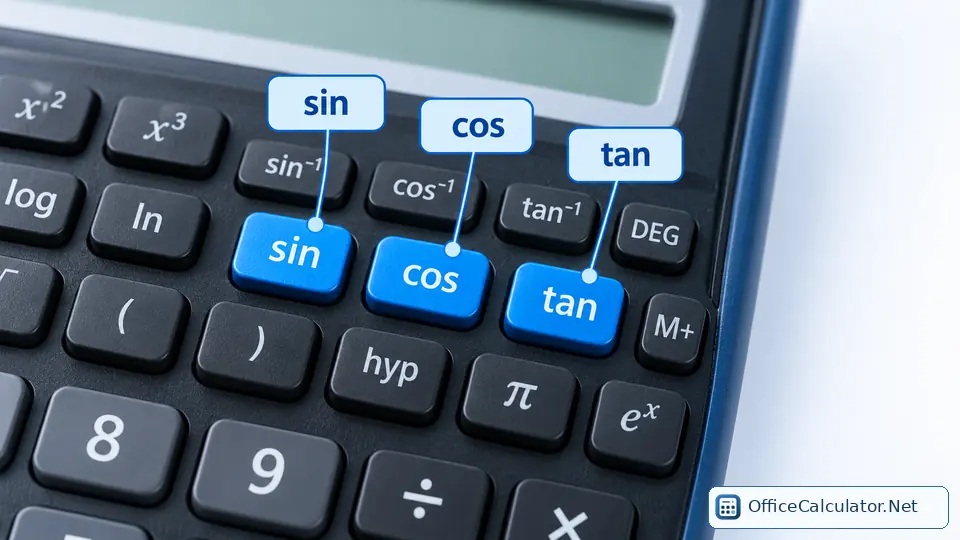
A six-stage scientific calculator learning plan
| Stage | Keys to learn | What to practice |
|---|---|---|
| 1 | + − × ÷ ( ) ± | Order of operations and negative numbers |
| 2 | x² √ xʸ 1/x | Powers, roots and reciprocals |
| 3 | fraction key, S⇔D, EXP/EE | Fractions, decimals and scientific notation |
| 4 | sin cos tan, inverse trig, DEG/RAD | Triangles and angle units |
| 5 | log ln 10ˣ eˣ | Logs, exponentials and growth/scale problems |
| 6 | Ans, STO/RCL, memory, MODE | Multi-step work and efficient reuse of values |
The 5-step routine to use on every problem
- Read the mathematics first. Identify the operation before touching the keypad.
- Estimate. Decide roughly what a reasonable answer should look like.
- Check settings. Verify DEG/RAD, notation or statistics mode if relevant.
- Enter carefully. Watch the expression display and use parentheses where needed.
- Interpret the result. Include units and ask whether the magnitude makes sense.
This routine makes the calculator a verification and computation tool rather than a substitute for understanding the problem.
Examples by school subject
Algebra: powers and parentheses
Evaluate (3 + 5)² ÷ 4. The grouped sum is 8, then 8²=64, and 64÷4=16. If you skip the parentheses, you are solving a different expression.
Geometry: trigonometry
A right triangle has hypotenuse 12 and angle 30°. The opposite side is 12×sin(30°)=6 in DEG mode.
Chemistry: scientific notation and logarithms
Practice entering 6.02×10²³ with EXP/EE notation. Then practice simple logarithms such as log(1000)=3 so you understand what the key means before using it in a formula.
Physics: formula substitution
Kinetic energy is ½mv². For m=2 kg and v=12 m/s, calculate 0.5×2×12²=144 J. The square key saves time, but units and the formula still matter.
Statistics
Models with STAT mode can calculate means, standard deviations or regressions. Learn the data-entry workflow from the calculator's manual because menu sequences differ more here than they do for basic functions.
How much should a student practice?
A short daily session is usually better than one long session. Spend about 10 to 15 focused minutes practicing one key family, then solve two mixed problems without looking at the cheat sheet. The goal is not raw button speed; it is choosing the correct function and recognizing an unreasonable answer.
Using a scientific calculator in tests and exams
Exam rules differ by country, board, course and calculator model. Some tests permit specific non-graphing scientific calculators while others restrict particular features. Check the current official exam rules and become comfortable with the exact calculator you are allowed to bring. Do not rely on a new model for the first time on exam day.
Five habits that prevent calculator errors
- Check DEG/RAD before trig.
- Use parentheses to match the written formula.
- Use the negative-sign key correctly when your model distinguishes it from subtraction.
- Keep intermediate precision and round at the end.
- Compare the calculator result with your estimate.
What to use next
Start with our scientific calculator keys guide, keep the printable cheat sheet nearby, then work through the practice exercises. The main OfficeCalculator.Net homepage includes an online Scientific mode with trig, roots, powers, logs, constants and factorial for practice.
Frequently asked questions
What scientific calculator keys should a beginner learn first?
Start with parentheses, square, square root, general power, trigonometry, log/ln, angle mode and Ans. Add memory and statistics after the basics are comfortable.
How can students avoid wrong calculator answers?
Estimate first, check the mode, match parentheses to the formula, keep units visible and compare the final magnitude with what is reasonable.
How long should I practice a scientific calculator each day?
A focused 10 to 15 minutes on one skill family, followed by a few mixed problems, is a practical learning routine. Adjust the time to your course and comfort level.
Can I use any scientific calculator in an exam?
No. Rules vary by exam and can change. Check the official rules for your specific exam and calculator model.
Open the main calculator, choose Scientific, and try the examples with your own values.
Try the steps with your own inputs in the Scientific Calculator Mode.